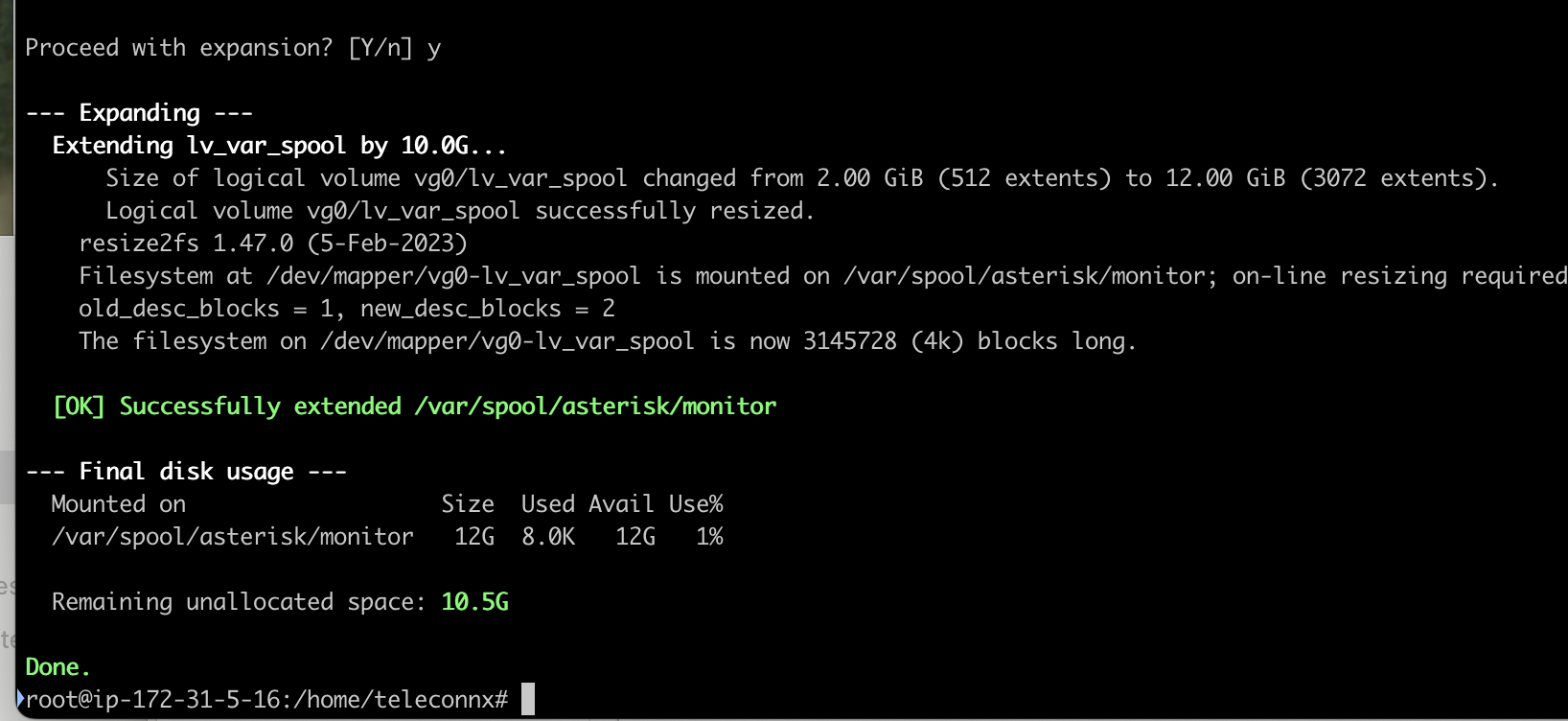
Disk Expansion
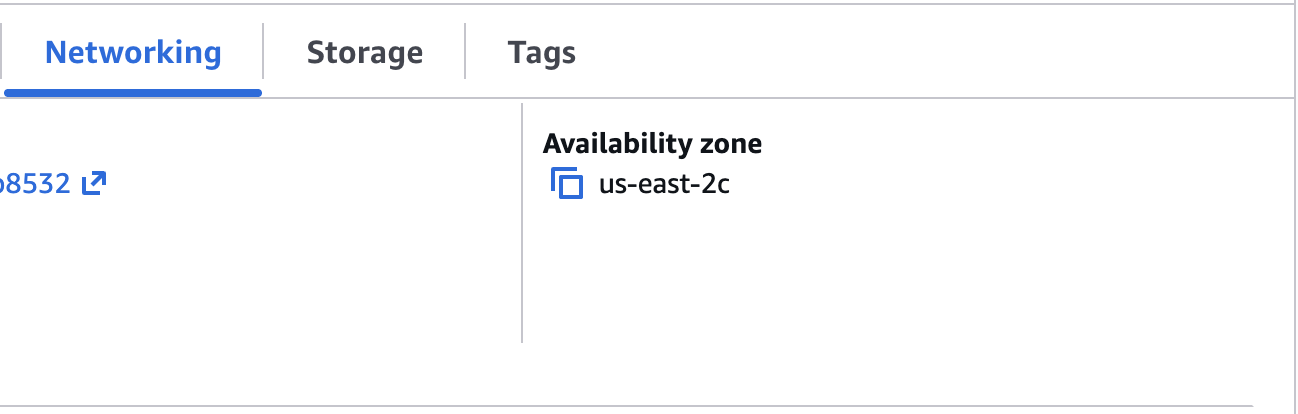
1. You'll need to find the Availability zone (AZ) of your instance.
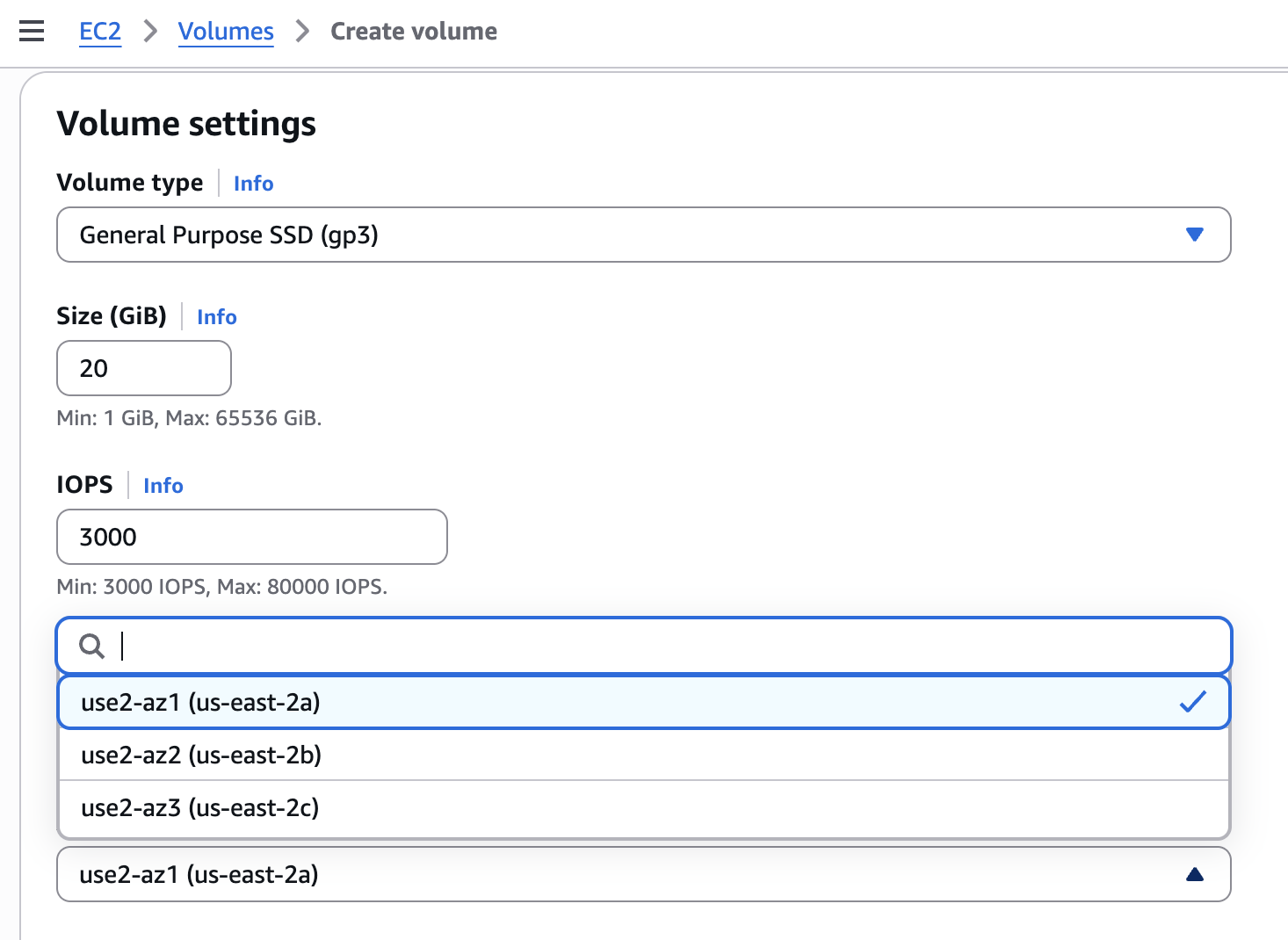
2. Create a disk volume in your instance's AZ.
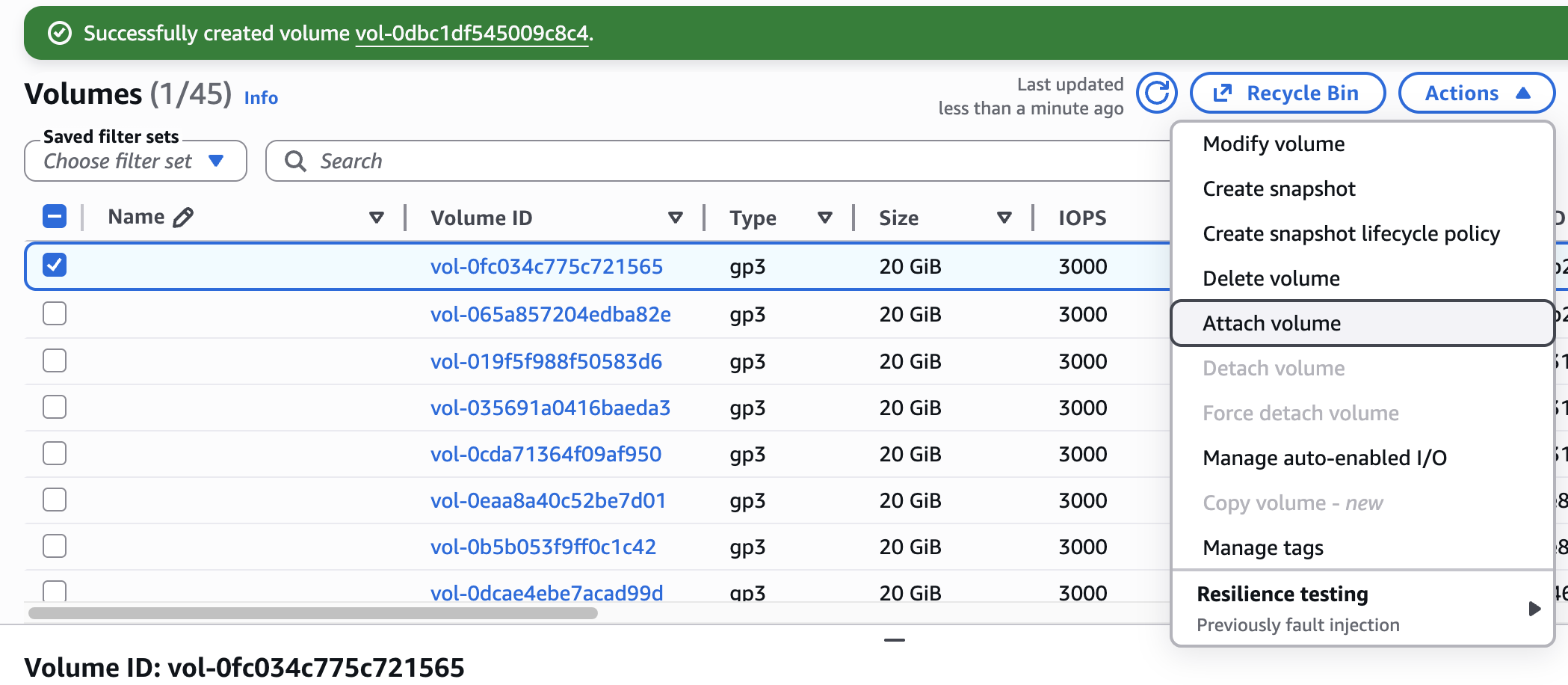
3. Attach new volume to your instance.
4. Login and run add-disk-space as root user.
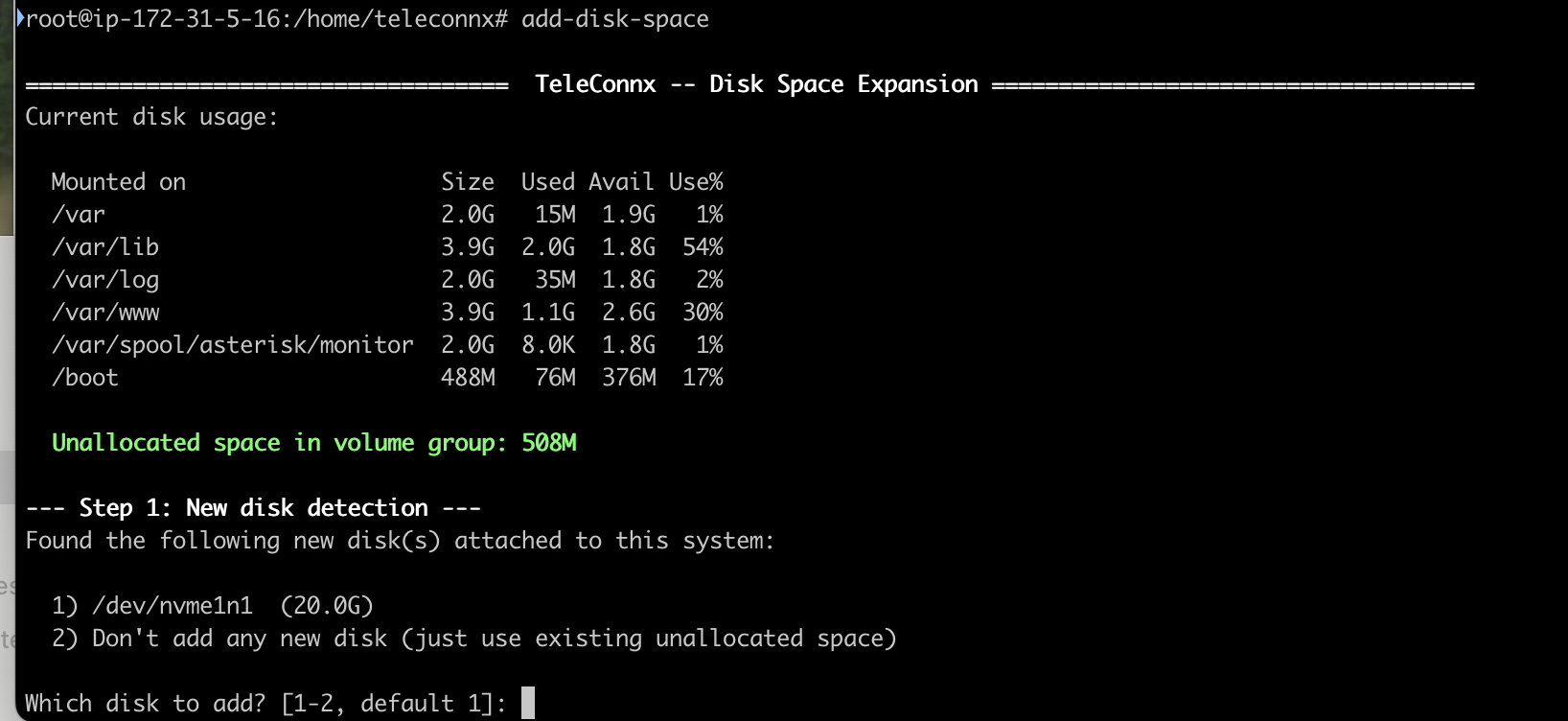
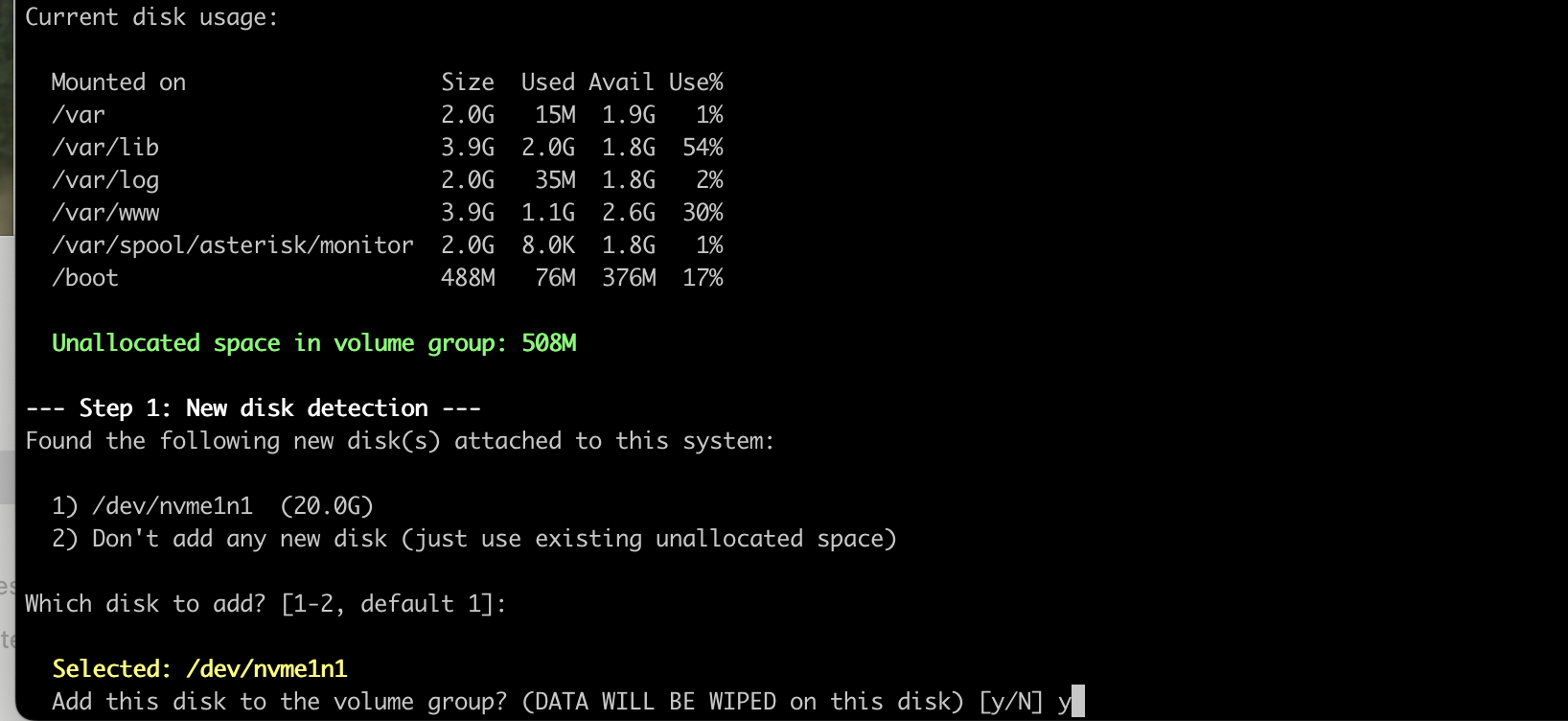
5. Add your new volume to your volume group.
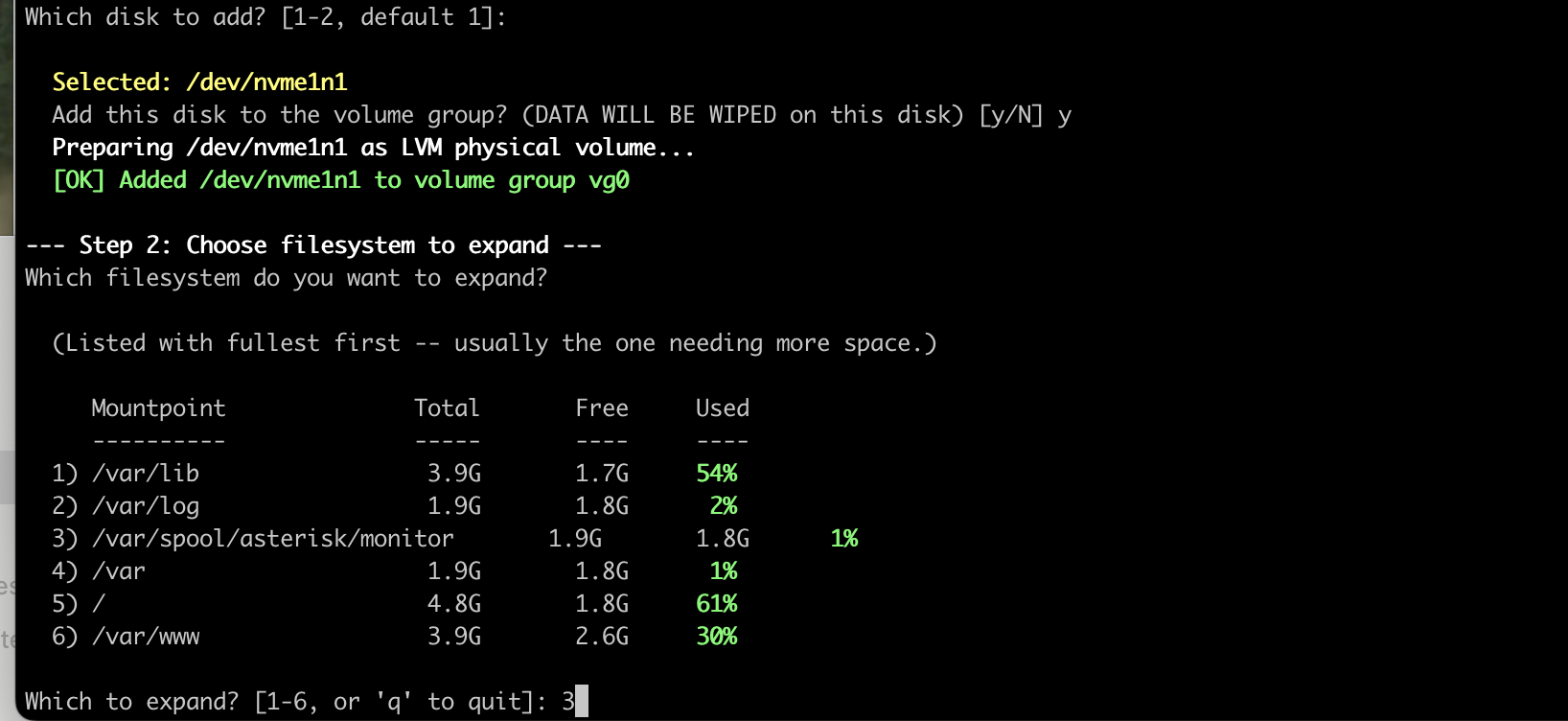
6. Select existing disk to expand.
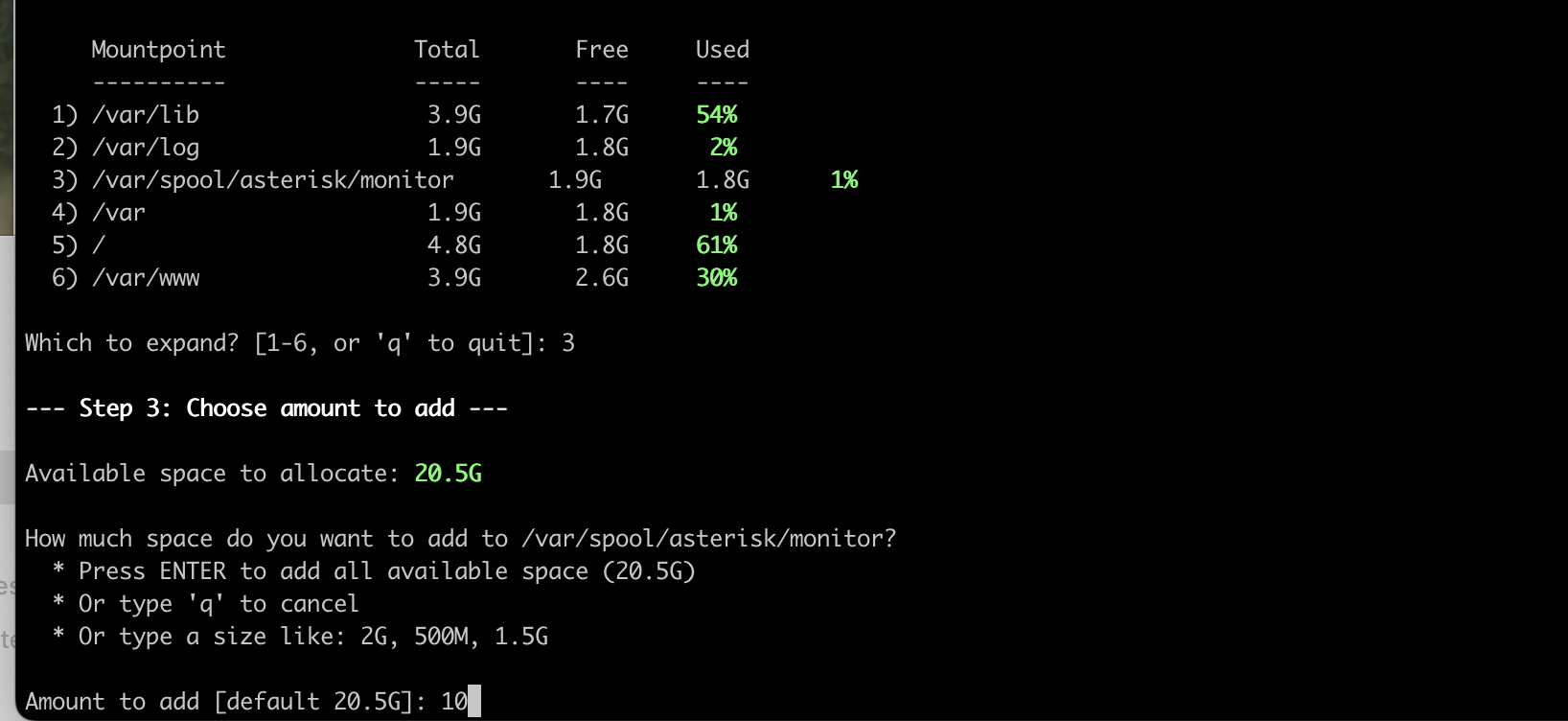
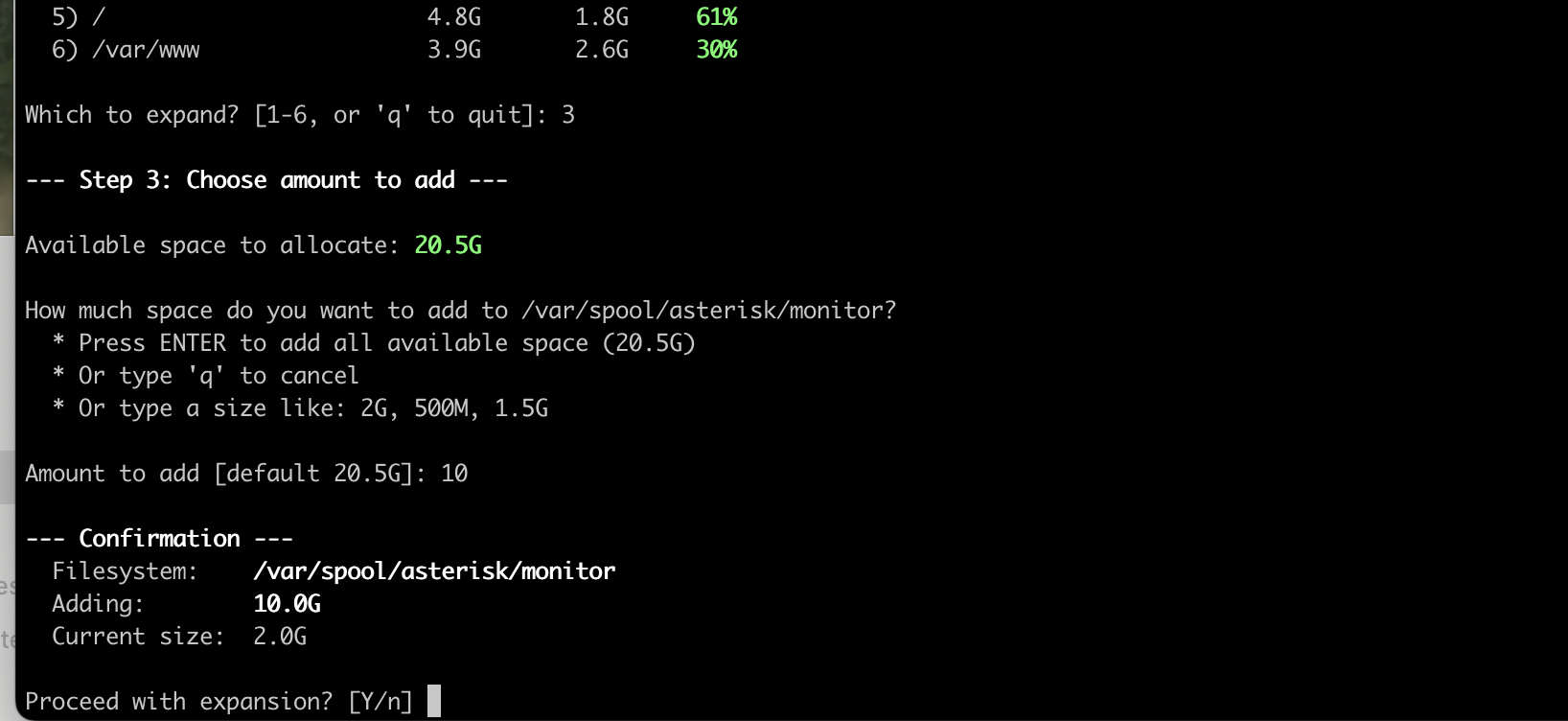
7. Select amount of space to add.
8. Confirm the expansion.
9. Expansion complete.